
Cover
Your final cover from Cover Studio, when you have one.
Book one-sheet generator
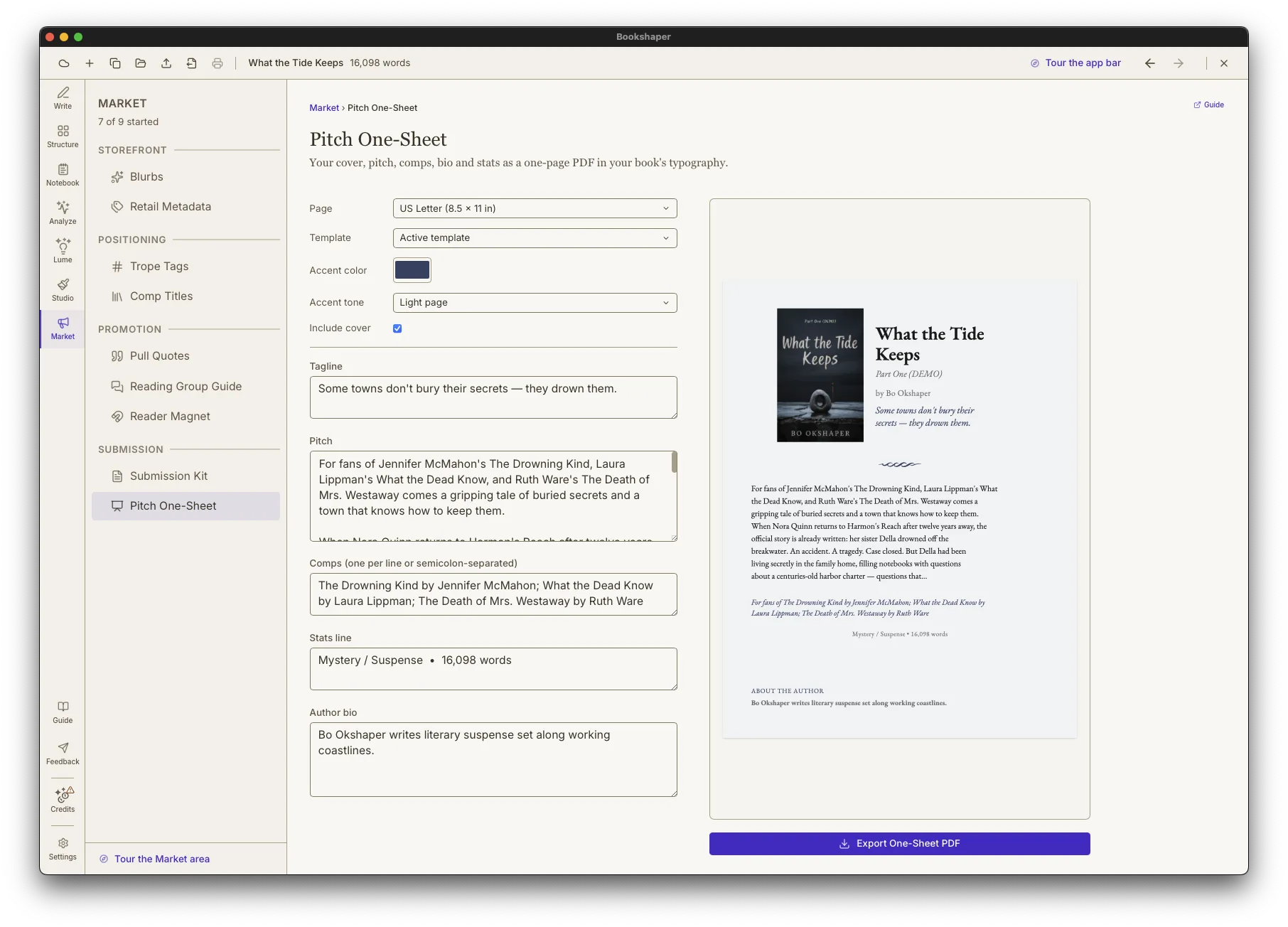
Bookshaper assembles a pitch one-sheet from the project you already have, cover, pitch, comps and bio, and exports it as a single styled PDF page.
Free trial. The one-sheet uses no AI and no credits.
On the sheet
The fields are filled from your project and every one can be changed in place.
Your final cover from Cover Studio, when you have one.
The one line that sells the book, from your blurbs.
Your blurb's pitch, trimmed to fit the page.
The comparable titles you pinned, set as a For fans of line.
Your short bio from the Submission Kit.
Genre and word count, plus point of view and ISBN when you have them.
Styled and exported
Set in the fonts and ornaments of your interior template, or another template you choose.
Pick an accent, on a pale page with dark text or a deep page with light text.
One printable PDF page, ready to attach or hand out.
Assembling the sheet calls no AI model and costs nothing to use.
Part of the Submission Kit
The one-sheet sits beside Bookshaper's query letter, synopsis and author bio drafts, so your whole submission package comes from one project.
The short version
A single page that sells your book: cover, tagline, pitch, comparable titles, author bio and the key facts. Agents, foreign-rights buyers, librarians, booksellers and festival tables all expect one.
Your cover, tagline, pitch, comps, author bio and a stats line with genre and word count, laid out on one page.
No. It fills itself in from your project: the cover from Cover Studio, the tagline and pitch from your blurbs, your pinned comp titles, and your short bio. Change any field in place without changing where it came from, and reset it with one click.
No. Assembling and exporting the one-sheet calls no AI model and costs nothing to use.
A single-page PDF in US Letter or A4, ready to attach to an email or print to hand out.
Yes. It works from a partial project and leaves out whatever is not there yet.
$29.99 one-time at launch pricing, through December 31, 2026, for Windows, macOS and Linux on one license, with 300 starter credits.
7 days of actual use, not 7 calendar days. Buy once when you are ready; one license covers Windows, macOS, and Linux.