
Outline and beat cards
Structure the book as parts, chapters, scenes and beats. Work in an outline or on cards, and drag to reorder.
Book writing software
Plan your novel, write it scene by scene, revise it, and format it for print and ebook. One app, one project, start to finish.
$29.99 one-time. Windows, macOS and Linux. Free trial: 7 days of actual use.
1. Plan
Plot the book before you write it, or alongside. Your outline, cast and world live in the same project as the manuscript, so a change in one is a click away from the other.
Structure the book as parts, chapters, scenes and beats. Work in an outline or on cards, and drag to reorder.
A profile for every character, with the relationships between them.
Keep your settings in one place and set each scene in one, so you can see where the story spends its time.
Place scenes by date, or by point of view in swimlanes, to keep the chronology straight.
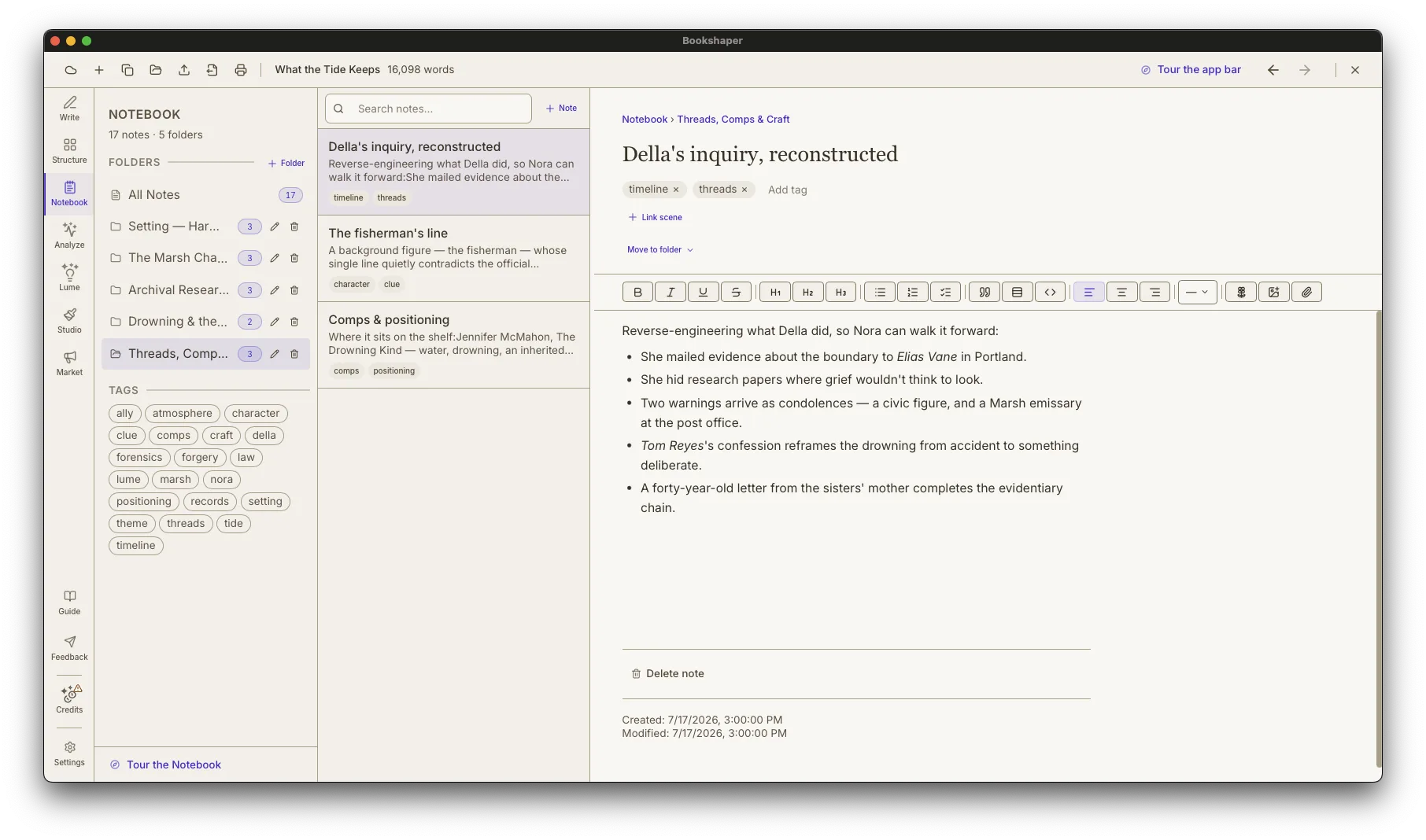
Notes in folders, with tags and links to the scenes they belong to.
Keep the books of a series in one folder, with characters and places shared across them, and switch books from the top bar.
Print your cast, places and relationships as one reference document.
2. Draft
A writing editor built for long manuscripts, where the whole book is always one click away.
Write one scene at a time inside chapters and parts. Move a scene by dragging it in the manuscript tree.
Keep a note, character, location or another scene open beside the page you are writing.
Hide everything but the page, dim all but the current sentence or paragraph, and keep your line centered as you type.
Set a daily target and track each writing session against it.
Every change saves as you type, and timed backups keep the last copies of your project.
See the chapter as it will print, or as it will read in an ebook, beside the scene you are working on.
3. Revise
Revision tools that keep every earlier version within reach.
Save a named version of a scene before you rewrite it, see what changed word by word, and restore the old one if the new one does not work.
Finish a pass on the whole book, freeze it, and start the next draft. Compare any two drafts scene by scene, see what you added, cut, moved and rewrote, and open any scene to see the changes word by word.
Leave notes to yourself in the margin of the text, and resolve them as you go.
Rename a character everywhere at once, and undo the whole change in one step.
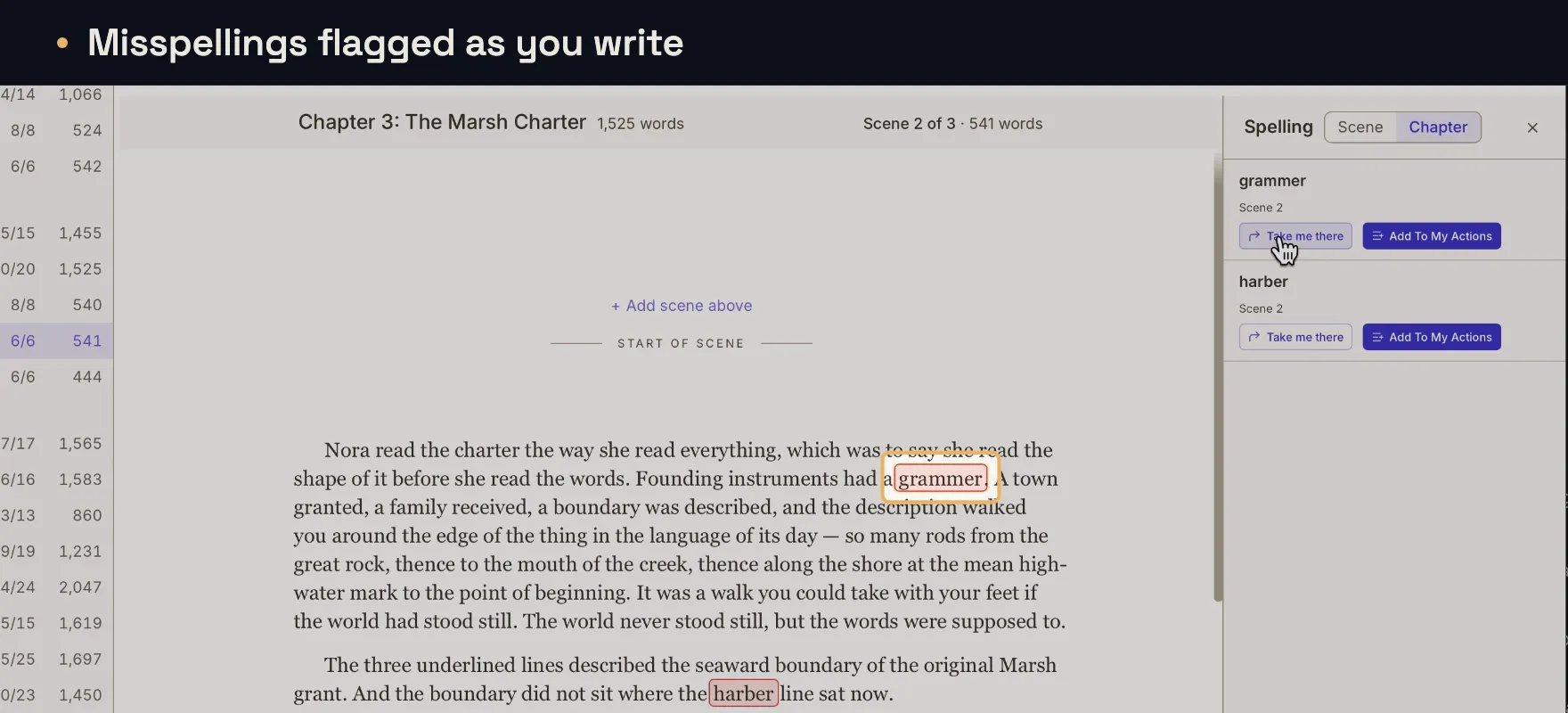
Misspellings underlined as you write. In Revise, repeated words, repeated sentence openers, filter words and passive voice, found on your own computer.
4. Format and export
When the draft is done, format it here. No export to a second app, no re-import after a late fix.
Genre and era designs across nine categories, each adjustable down to fonts, headings and scene breaks.
17 common KDP and IngramSpark trim sizes, with spec checks for both before you export.
Accessible EPUB ebooks, and a DOCX for an editor, agent or beta reader.
Price and platform
Bookshaper is $29.99 one-time at launch pricing, through December 31, 2026, then $39.99. No subscription. One license covers Windows, macOS and Linux, on up to 3 computers at a time, and your files stay on your computer unless you turn on sync.
The short version
One that keeps the whole book in one place. Bookshaper holds your outline, characters, locations, timeline, research and draft in one project, then formats the finished manuscript for print and ebook, so you never move the book between tools.
Both. You plan and write the novel in Bookshaper, then export a print-ready PDF, an EPUB ebook or a Word document from the same manuscript.
Yes. Outline your book as parts, chapters, scenes and beats, lay scenes out as cards, keep character profiles and relationships, set scenes in locations, and place events on a timeline by date or point of view.
$29.99 one-time at launch pricing, through December 31, 2026, then $39.99. It is not a subscription.
Windows, macOS and Linux. One license covers all three, on up to 3 computers at a time.
On your computer by default. Cloud sync is optional; when it is on, your manuscript is encrypted on your device before upload.
Yes. Bookshaper imports DOCX, EPUB, HTML and Markdown files, so a draft from Word or Google Docs comes in split into chapters at its chapter headings.
Yes. The trial is free and runs for 7 days of actual use, not 7 calendar days. If you do not buy, your projects stay readable and exportable.
7 days of actual use, not 7 calendar days. Buy once when you are ready; one license covers Windows, macOS, and Linux.