
Scenes in chapters
Write scene by scene inside chapters and parts, and drag to reorder them in the manuscript tree.
Scrivener alternative
Scenes, outline, characters and research, the way Scrivener writers work, plus print and ebook formatting in the same app. On Windows, macOS and Linux, for one price.
$29.99 one-time. Free trial: 7 days of actual use.
Price and platform
Both are one-time purchases with no subscription. Scrivener sells a license per platform; Bookshaper's covers all three, on up to 3 computers at a time.
| Bookshaper | Scrivener | |
|---|---|---|
| Price | $29.99 one-time | $59.99 per platform |
| Platforms per license | Windows, macOS, Linux | One platform per license |
| Linux | Yes | No |
| Timeline view | Yes | No |
| Print preflight for KDP and IngramSpark | Yes | No |
| Print-ready cover wrap | Yes | No |
| Free trial | 7 days of use | 30 days of use |
Scrivener prices and platforms as published by Literature & Latte, checked October 2026. Bookshaper launch pricing runs through December 31, 2026.
Writing
Bookshaper is organized the way Scrivener writers already think, and each area of the app has a guided tour that shows you around as you go.
Write scene by scene inside chapters and parts, and drag to reorder them in the manuscript tree.
Your book as an outline of chapters, scenes and beats, or laid out as cards.
Notes in folders, with tags and links to the scenes they belong to.
Profiles and relationships for your cast, and a place for every setting.
Save a named version of a scene before you rewrite it, freeze the whole book as a draft and compare drafts scene by scene, and leave notes in the margin.
Place scenes by date, or by point of view in swimlanes. Scrivener has no timeline view.
Formatting
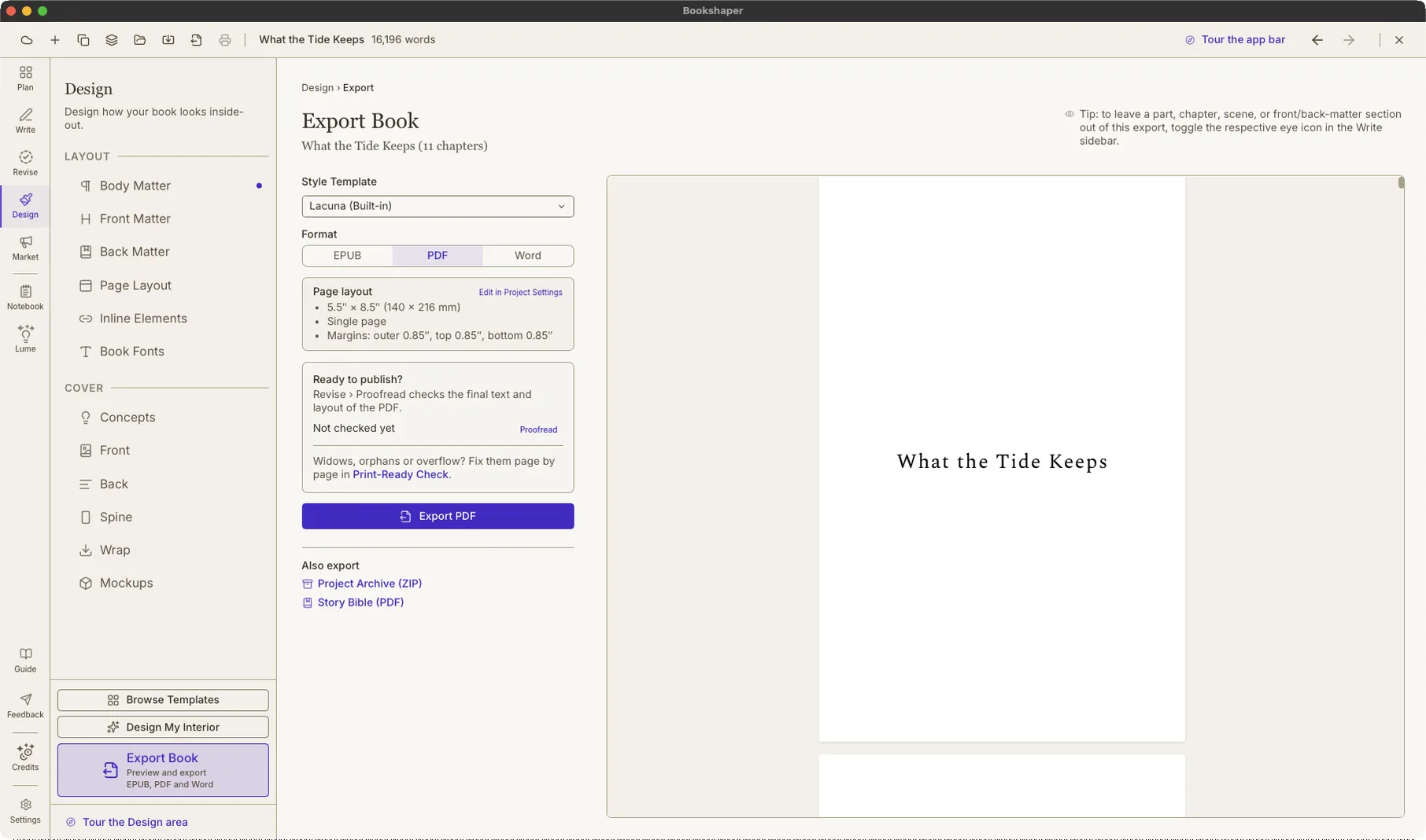
Scrivener's Compile exports PDF and EPUB from a set of layout rules. In Bookshaper you choose a book design and see the result as you write.
Genre and era designs across nine categories, each adjustable down to fonts, headings and scene breaks.
See the chapter as it will print, or as it will read in an ebook, beside the scene you are editing.
17 common KDP and IngramSpark trim sizes, guided fixes for widows, orphans and hyphen ladders, and KDP and IngramSpark spec checks before export.
Accessible EPUB ebooks, and a DOCX for an editor, agent or beta reader.
Upload TTF or OTF fonts and Bookshaper embeds them in EPUB, PDF and DOCX.
Design front, back and spine, and export a print-ready wrap for KDP or IngramSpark.
Moving from Scrivener
Bookshaper does not open .scriv projects. The path is two steps, and it takes the manuscript text only.
Open Compile, choose Microsoft Word (.docx) as the format, and have your chapter titles compile in the Heading 1 style.
Bookshaper splits the manuscript into chapters at those headings. Research files, index-card synopses and snapshots stay behind in Scrivener.
Coming from somewhere else
Dabble is a subscription from $19 a month, or $699 for lifetime access, and does not export PDF or EPUB directly. Bookshaper is one payment, and formats print and ebook editions itself.
Plottr is built for planning the book. Bookshaper keeps the outline, cast and timeline next to the draft you write from them.
Where Scrivener is ahead
Scrivener has an iOS app and Bookshaper has no mobile version. Scrivener's trial is longer, and many novelists have written in it for years. If you write on an iPad, or your Scrivener setup already does everything you need, it remains a good tool.
The short version
Not directly. Bookshaper does not read .scriv projects. Compile your manuscript to a Word document (.docx) in Scrivener, then import that file into Bookshaper. Your chapters come across; your binder's research, index cards and snapshots stay in Scrivener.
Bookshaper is $29.99 one-time at launch pricing, through December 31, 2026, then $39.99, and one license covers Windows, macOS and Linux. Scrivener is $59.99 for one platform, macOS or Windows.
Yes. Bookshaper runs on Windows, macOS and Linux. Scrivener has no Linux version.
Yes. Bookshaper exports a print-ready PDF, an EPUB ebook and a Word document from the manuscript you wrote in it, using one of 62 book templates, and checks the interior against KDP and IngramSpark specifications before export.
No. Bookshaper is a desktop app for Windows, macOS and Linux. If you write on an iPad or phone, Scrivener's iOS app is something Bookshaper does not replace.
Yes. The trial is free and runs for 7 days of actual use, not 7 calendar days. If you do not buy, your projects stay readable and exportable.
7 days of actual use, not 7 calendar days. Buy once when you are ready; one license covers Windows, macOS, and Linux.